What Relator Digital does today and what it doesn't do yet
Sources, sync cadence, Performance, RelatorAI, approved reports, real ROAS, goals, plans and Relator's current limits, as of October 2026.

Contents
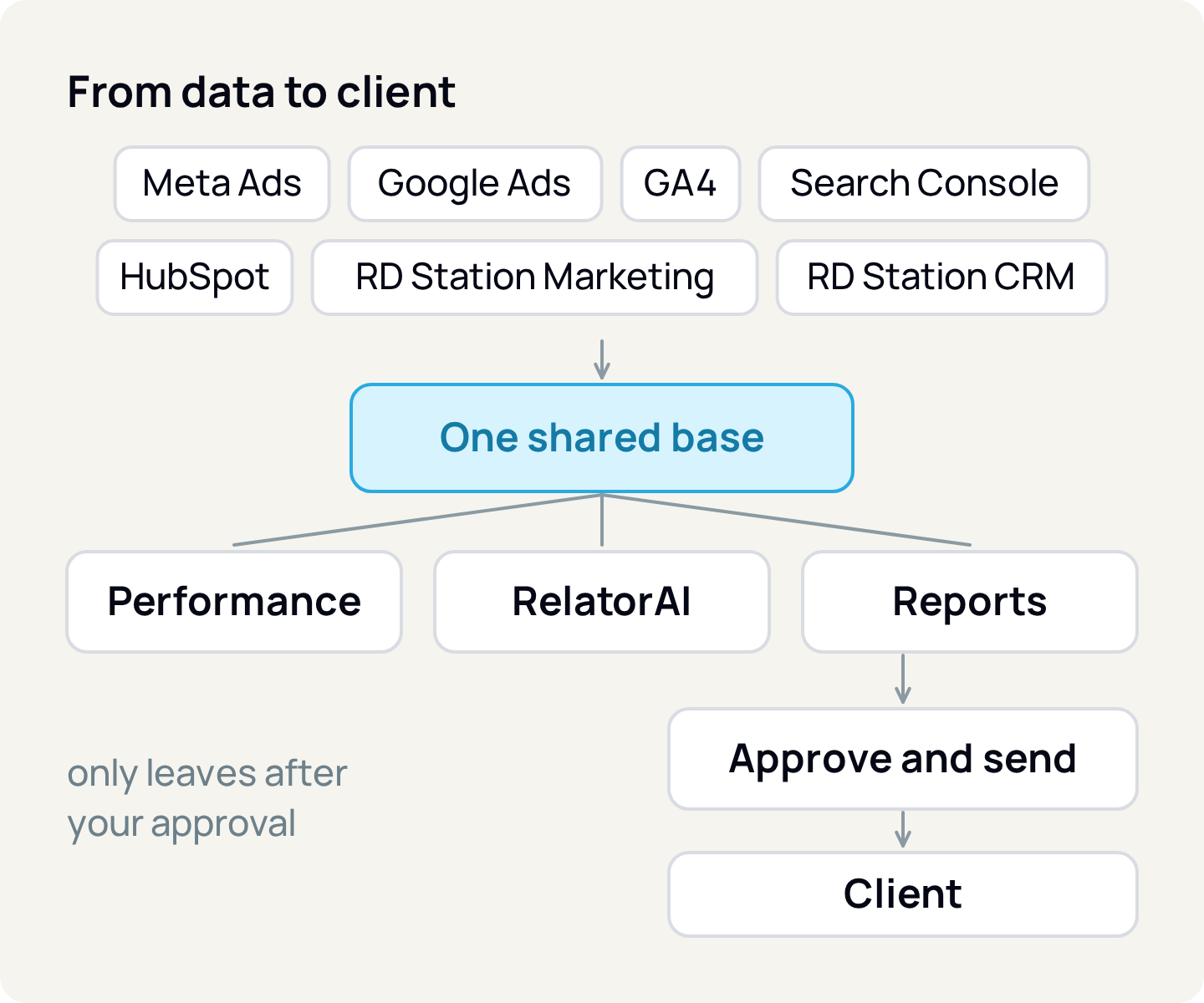
Relator Digital brings each client's paid media, website and CRM into one shared base and shows the same number on the dashboard, in the report and in the answers of RelatorAI, the product's assistant. It is built for paid media agencies that report to many clients and for companies that run their own marketing. This article describes the product as it stands on October 6, 2026, including what it does not do yet.
Two account types: agency and own business
The agency account (or freelancer) has an agency desk and a separate space for each client. The agency connects the Meta Business Manager (BM) and the Google Ads manager account (MCC) once and assigns each ad account to the right client. The own business account serves the company or professional tracking their own business, with media, website and CRM in the same space.
Each client has a business type, which picks the main indicators: revenue and ROAS (return on ad spend) for e-commerce, leads and CPL (cost per lead) for lead generation, conversions and CPA (cost per acquisition) for apps or local businesses, and spend for brand.
Seven sources, 90 days of history and plan-based refresh
You connect with each platform's own login, with no script and no spreadsheet, and access is encrypted.
Meta Ads
- What arrives
- Spend, reach, clicks, conversions and value per ad and day
- History on connection
- 90 days
Google Ads
- What arrives
- Campaigns, ad groups, ads, search terms, keywords, Performance Max and Shopping
- History on connection
- 90 days
GA4
- What arrives
- Acquisition, events and key events, pages, engagement and e-commerce
- History on connection
- 90 days
Search Console
- What arrives
- Queries and pages with clicks, impressions and position
- History on connection
- 90 days
HubSpot
- What arrives
- Contacts with UTM and gclid, deals and companies
- History on connection
- Full
RD Station Marketing
- What arrives
- Contacts and leads with UTM and gclid
- History on connection
- Up to 10,000 records
RD Station CRM
- What arrives
- Deals with value, stage and close date
- History on connection
- Up to 10,000 records
| Source | What arrives | History on connection |
|---|---|---|
| Meta Ads | Spend, reach, clicks, conversions and value per ad and day | 90 days |
| Google Ads | Campaigns, ad groups, ads, search terms, keywords, Performance Max and Shopping | 90 days |
| GA4 | Acquisition, events and key events, pages, engagement and e-commerce | 90 days |
| Search Console | Queries and pages with clicks, impressions and position | 90 days |
| HubSpot | Contacts with UTM and gclid, deals and companies | Full |
| RD Station Marketing | Contacts and leads with UTM and gclid | Up to 10,000 records |
| RD Station CRM | Deals with value, stage and close date | Up to 10,000 records |
After the initial history, the full pass follows the plan: once a day on Starter, every 6 hours on Pro and every hour on Scale. On Starter and Pro, hourly sync is an add-on. On any plan, today's numbers from Meta, Google Ads, GA4, HubSpot and RD Station refresh every hour, and each source shows its last sync time.
Search Console publishes data with a 2 to 3 day delay; that rule is Google's. And ad platforms correct conversions after the fact, so on every pass Relator rereads the last 28 days from Meta and the last 30 from Google Ads. For Meta, it uses the 7-day click and 1-day view window; if the ad set uses a different window, the numbers will differ from Ads Manager.
Performance and dashboards: the same number everywhere
Performance is the day-to-day screen, split into Overview, Paid media, Organic and SEO. Paid media starts with triage: period context, data confidence, what needs attention and each channel against its goal. From any row you drill down to campaign, ad group and ad without losing the filter, always compared with the previous period or the previous year.
Dashboards are built on a drag-and-drop grid, with Meta, Google Ads and GA4 templates and 28 widget types. Custom metrics come from guided templates (ratio, cost per, percentage, sum, difference), with no formula to type. The Timeline keeps your notes and gets a daily RelatorAI summary saying whether results improved or got worse. Alerts flag unusual spend, stopped delivery, data that stopped arriving and goals at risk, on the Home screen and by email.
RelatorAI: reads, answers and builds, but does not act
RelatorAI answers in natural language about the data of the open client. It queries the same sources as the dashboards, shows what it looked up in each one and replies with numbers and charts, using alerts, goals and the last 14 days of the timeline as context. It has three modes: Ask, Dashboard (builds widgets from one sentence) and Report (edits the open report, with undo).
The limit is clear: it is read-only. It does not pause campaigns, send email, browse the web or query a source that is not connected. Each message uses one plan credit; when they run out, it stops until the month turns over, unless you buy a 200-message pack, which is valid for 12 months.
Reports that only go out with your approval
There are six ready-made templates: Paid media, Executive summary, Web analytics, Social media, Monthly client report and Period comparison. The editor takes the client's brand (logo, colors and footer) and, from Pro up, the agency logo. Scheduling, also from Pro up, ranges from daily to yearly, with time, time zone and up to 20 recipients.
The "I want to review before sending" option comes checked: at the scheduled time, Relator generates the draft and waits for someone to click "Approve and send". The client receives it by email, through a public link valid for 30 days and as a PDF. In agency accounts, the client can also follow everything in their own portal, where they see the summary, campaigns, reports and timeline, but not RelatorAI, dashboards, CRM, goals or billing.
Real ROAS: CRM sales against ad spend
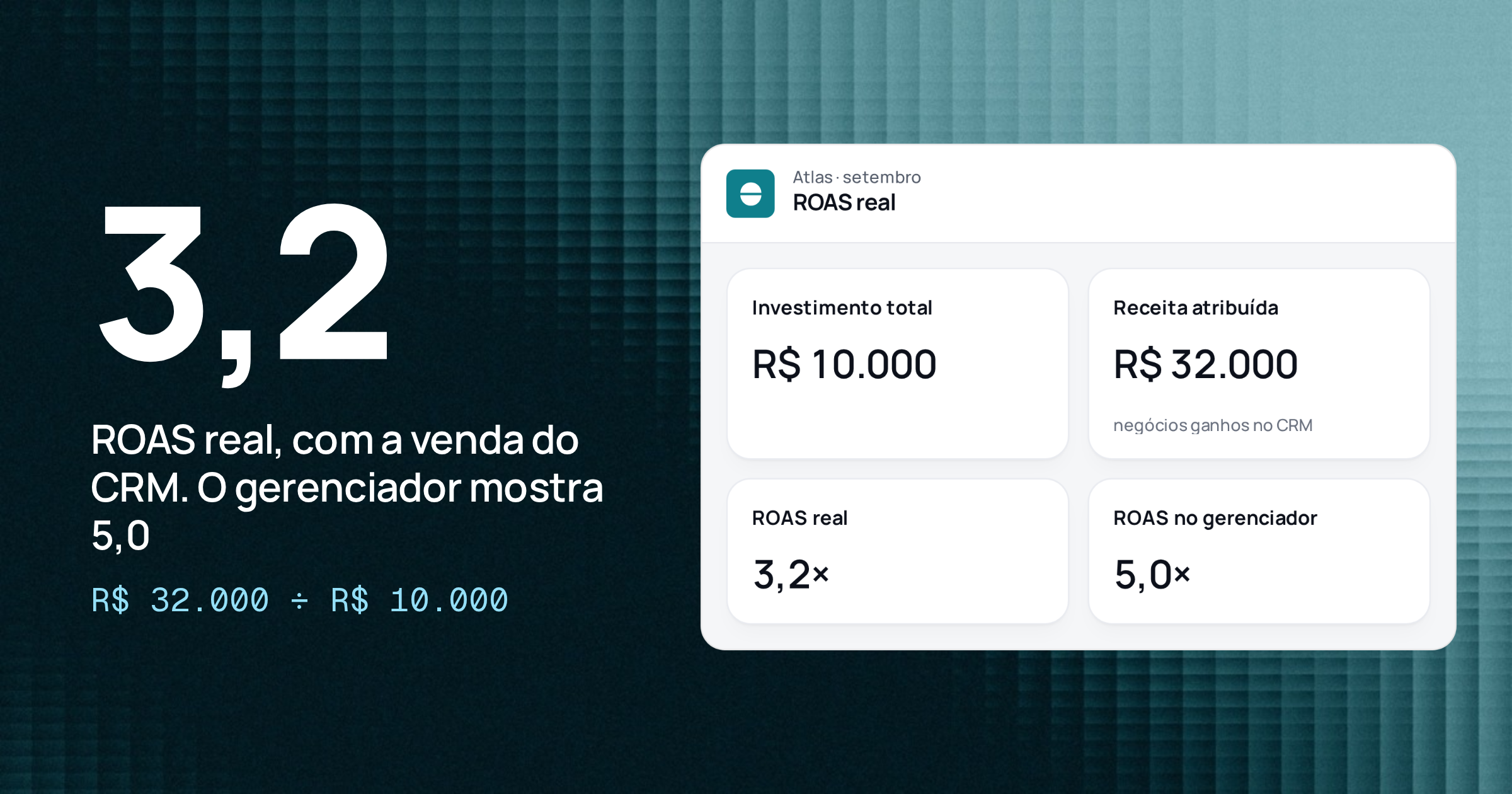
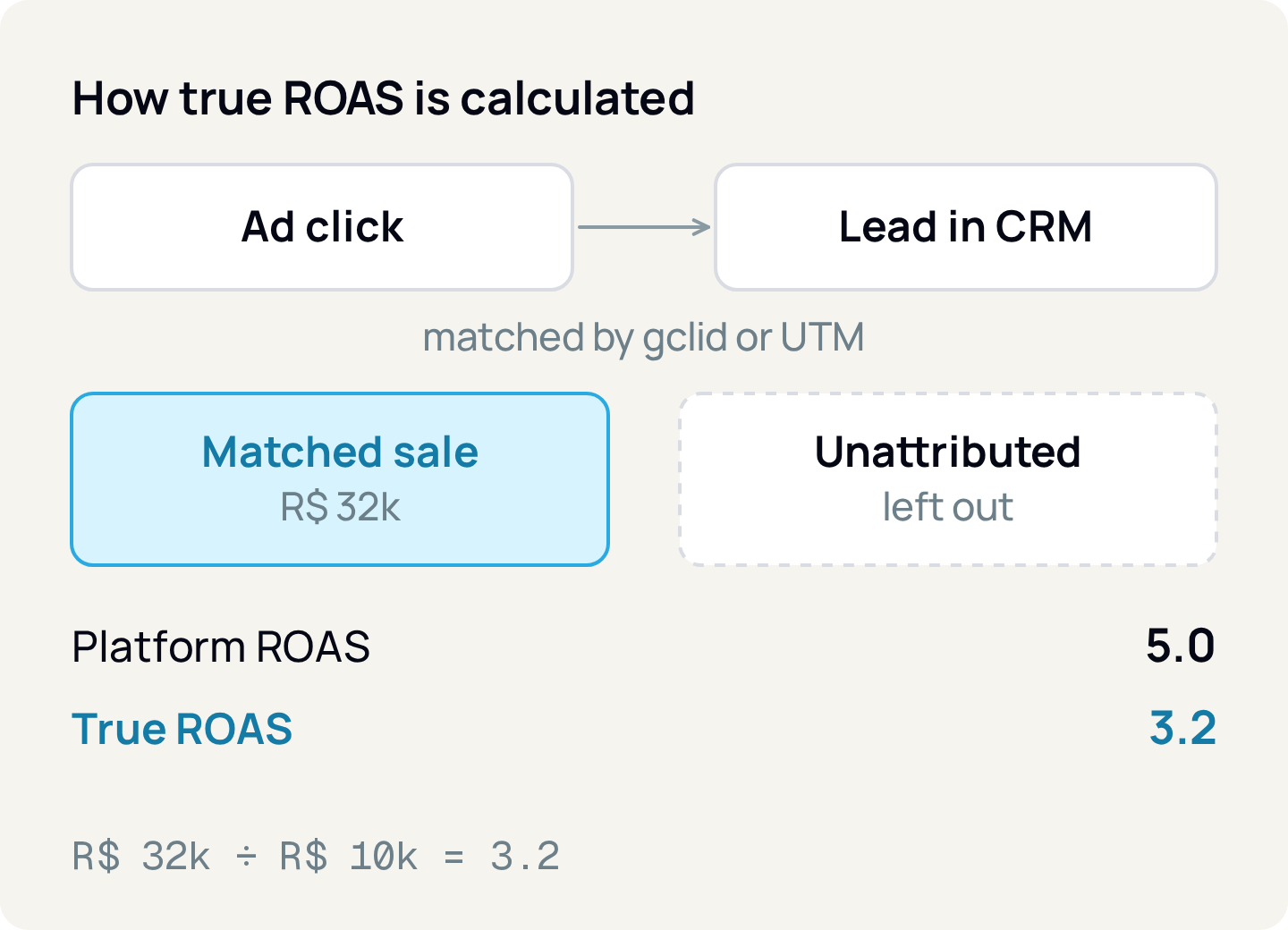
The ROAS that Meta and Google show uses the conversion each platform measures itself. Real ROAS divides revenue from deals won in the CRM by media spend. You connect HubSpot or RD Station CRM and say which stages are open, won or lost. Relator matches each lead to its campaign through the gclid (the Google Ads click identifier) or the UTM and shows the result by channel and by campaign. A sale that does not match shows up as "Unattributed".
A hypothetical example: an account spends R$10,000 in the month and the ads manager reports R$50,000 in conversion value, a ROAS of 5.0. In the CRM, the won deals that match those campaigns add up to R$32,000. Real ROAS is 32,000 ÷ 10,000 = 3.2. The platform counts conversions; the CRM counts closed sales.
Goals, ads manager and client portfolio
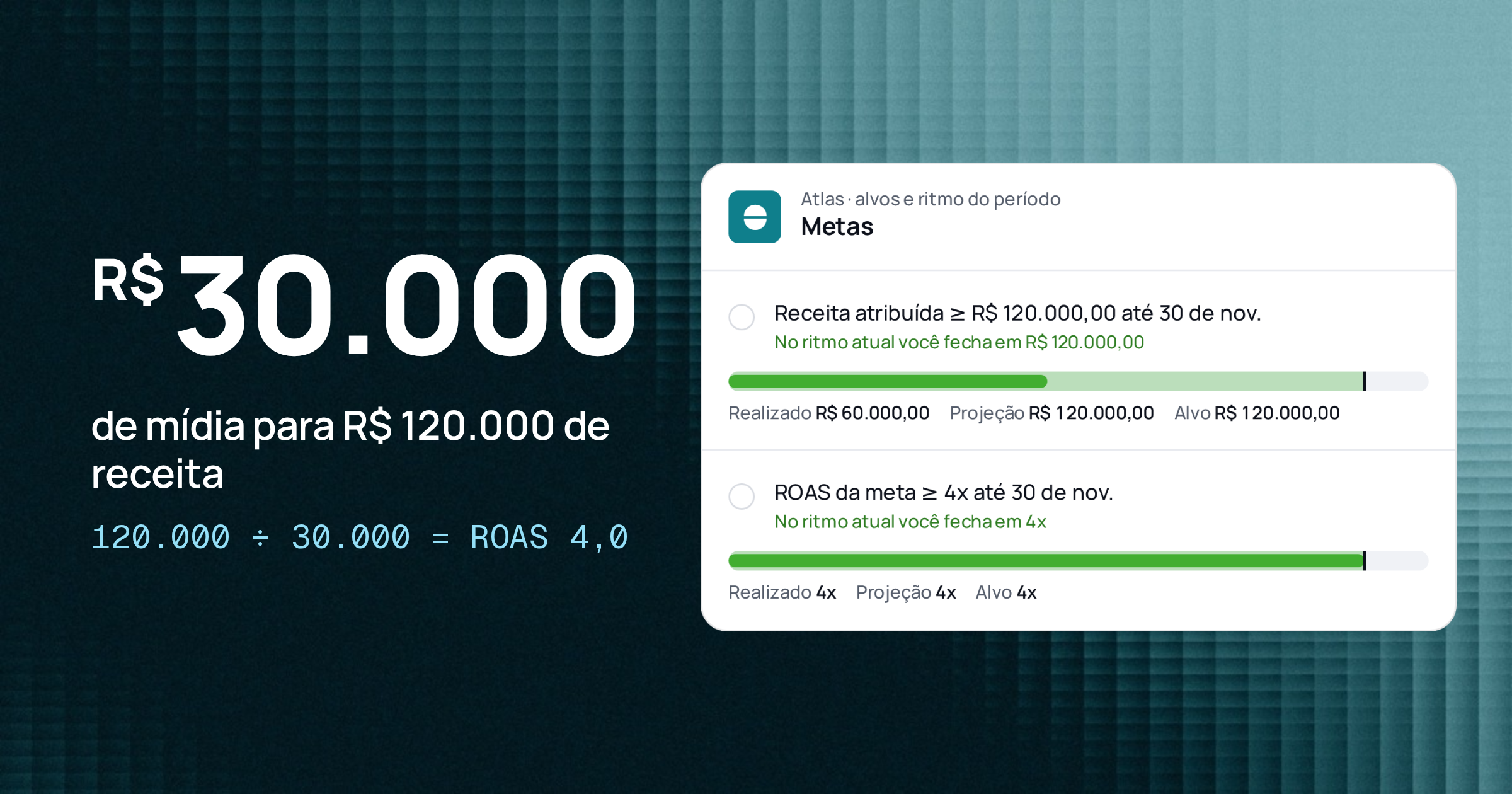
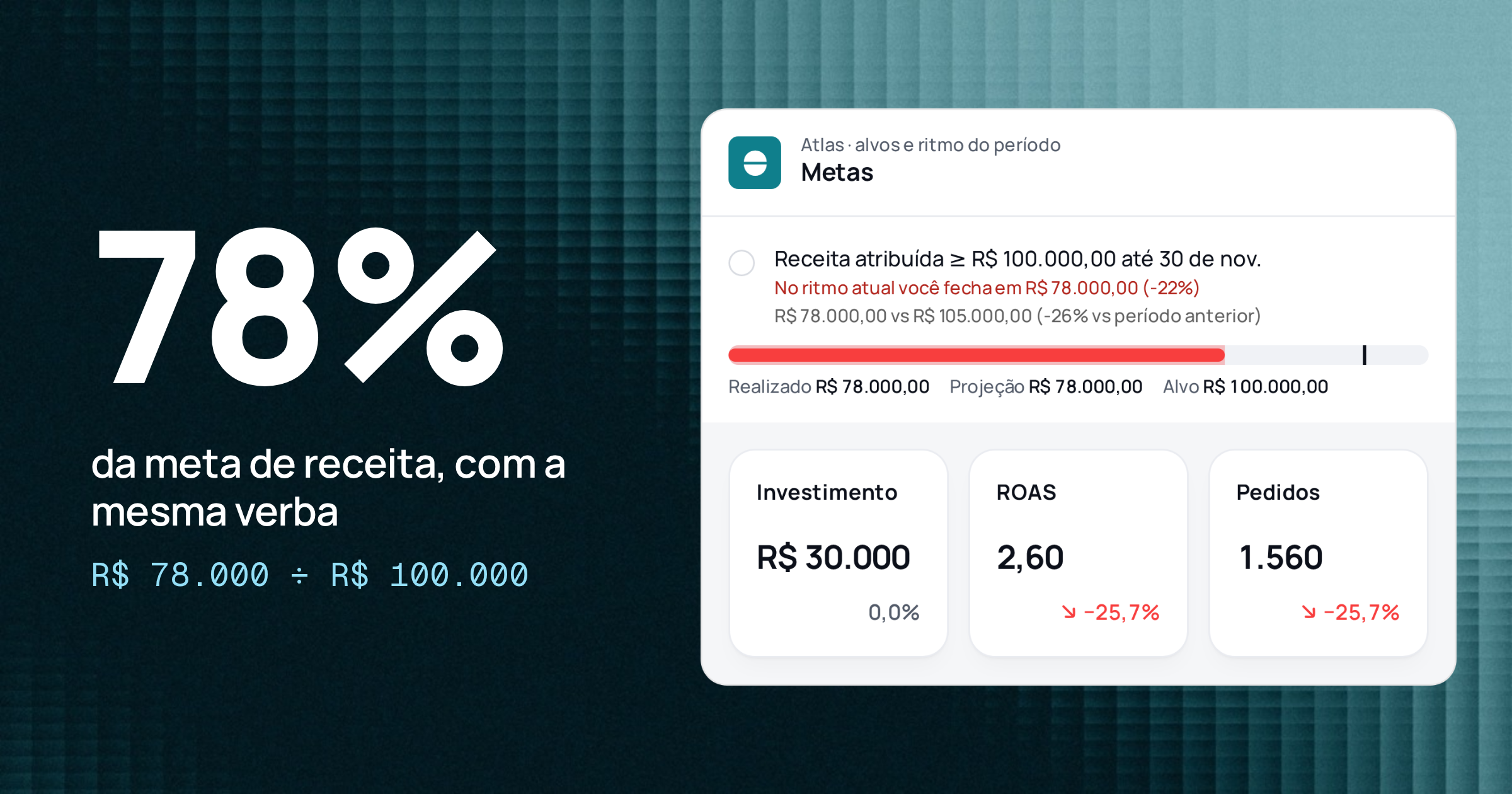
Goals take a target for spend, ROAS, CPA, revenue or leads. Relator compares the running total with the expected pace, forecasts where the month will close and marks the goal as on track, at risk, off track or achieved.
The ads manager lists campaigns and ads with the period's numbers. It is included in Scale and is an add-on on Starter and Pro. On Meta, you create, edit, turn on and pause, including in bulk. On Google Ads, you turn things on and off and, since October 1, 2026, create and edit Search campaigns. Every change goes through "Review and publish".
The agency portfolio puts every client on one screen, with spend, revenue, real ROAS and the month's goal, and brings to the top whoever needs you: a client below goal, a stopped source, a report waiting for approval.
Security and LGPD
Platform access is encrypted with AES-256-GCM. Every query is filtered by organization and client, including RelatorAI's. Data is hosted in the United States and handled under Brazil's LGPD (Law 13,709/2018); the Privacy Policy explains where and how. Data is deleted on request through privacidade@relator.digital.
Plans: 7 days free and pricing by the size of the operation
There is a single table, the same for own business and agency accounts. Every account starts with 7 free days, no card, with Pro limits plus the ads manager, API and MCP, and hourly sync. When the trial ends, the data stays visible and actions are blocked until you pick a plan. List prices as of October 14, 2026, in Brazilian reais per month; check the pricing page before deciding.
Starter
- Monthly
- R$59
- Clients
- 1
- Sources per client
- 5
- Seats
- 2
- Full pass
- once a day
- RelatorAI messages
- 100
- History
- 12 months
Pro
- Monthly
- R$199
- Clients
- 5
- Sources per client
- 5
- Seats
- 5
- Full pass
- every 6 hours
- RelatorAI messages
- 300
- History
- 24 months
Scale
- Monthly
- R$499
- Clients
- 15
- Sources per client
- 5
- Seats
- 15
- Full pass
- every hour
- RelatorAI messages
- 1,000
- History
- 36 months
| Plan | Monthly | Clients | Sources per client | Seats | Full pass | RelatorAI messages | History |
|---|---|---|---|---|---|---|---|
| Starter | R$59 | 1 | 5 | 2 | once a day | 100 | 12 months |
| Pro | R$199 | 5 | 5 | 5 | every 6 hours | 300 | 24 months |
| Scale | R$499 | 15 | 5 | 15 | every hour | 1,000 | 36 months |
Scheduled reports, goals and alerts, custom dashboards and white label start on Pro. Scale includes the ads manager, the public API and MCP, and hourly sync. On Starter and Pro, they are monthly add-ons:
Ads manager
- Price
- R$99 per month
- Where
- Starter and Pro; included in Scale
API and MCP
- Price
- R$49 per month
- Where
- Starter and Pro; included in Scale
Hourly sync
- Price
- R$79 per month
- Where
- Starter and Pro; included in Scale
Extra client
- Price
- R$29 per month
- Where
- All plans
Extra seat
- Price
- R$15 per month
- Where
- All plans
200 RelatorAI messages
- Price
- R$49, one-time, valid for 12 months
- Where
- All plans
| Add-on | Price | Where |
|---|---|---|
| Ads manager | R$99 per month | Starter and Pro; included in Scale |
| API and MCP | R$49 per month | Starter and Pro; included in Scale |
| Hourly sync | R$79 per month | Starter and Pro; included in Scale |
| Extra client | R$29 per month | All plans |
| Extra seat | R$15 per month | All plans |
| 200 RelatorAI messages | R$49, one-time, valid for 12 months | All plans |
Each active connection counts as one source; in agency accounts, each synced BM or MCC account also counts. Monthly billing has no lock-in and the yearly plan costs 10 monthly payments. Enterprise, from R$1,499 per month, has contracted limits and frequency.
What Relator does not do yet
- It does not connect organic Facebook and Instagram, YouTube, TikTok, LinkedIn, X, Google Business Profile, Salesforce, Power BI, Google Sheets or Zendesk. These cards show as "Coming soon", with no promised date.
- It does not write to GA4, Search Console, HubSpot or RD Station: those sources are read-only.
- On Google Ads, creating and editing cover Search campaigns only; for other types, you can turn them on and off.
- Real ROAS depends on gclid or UTM reaching the CRM. With HubSpot and RD Station CRM on the same client, HubSpot wins.
- HubSpot connects per client, not on the agency account.
- Starter has no scheduled reports, goals and alerts, custom dashboards or white label; those start on Pro. The public API and MCP come with Scale or the API and MCP add-on.
- Data is not hosted in Brazil.
Getting started
- 1.Pick the account type: agency, if you serve many clients; own business, if Relator is for your company.
- 2.Connect Meta Ads, Google Ads and GA4; in agency accounts, distribute the BM and MCC accounts among clients.
- 3.Connect the CRM, map the won and lost stages and check that gclid and UTM reach your contacts.
- 4.Set each client's business type.
- 5.Ask RelatorAI three questions about last month and compare the answers with the dashboard.
- 6.Build the first report from a template, schedule it with approval and send it after reviewing.
Sources
About the author
João Vitor Moitinho
João Vitor Moitinho is the founder of Relator Digital. A computer engineer, he works on growth, measurement and martech, and writes here about what he learns building reports for performance agencies.
João Vitor Moitinho on LinkedInThis article is also available as Markdown, for agents and LLMs: view .md version